

Shopify merchants spend time and money bringing shoppers to their stores. But revenue opportunities do not wait for someone on the marketing team to press “send.”
A new shopper opens your app for the first time. Someone leaves products in their cart. A regular customer stops coming back. Your Black Friday campaign needs to launch at exactly the right time.
If you have a mobile app for your Shopify store, automated push notifications can turn these predictable moments into always-on opportunities to bring shoppers back and move them toward another purchase.
The goal is not to put your entire marketing strategy on autopilot. It is to automate the customer moments that happen repeatedly, so your store can continue engaging shoppers even when you are not manually running a campaign.
What Are Automated Push Notifications for Shopify?
Automated push notifications are mobile app messages that are either triggered automatically by customer behavior or prepared in advance and scheduled to send at a specific time.
For Shopify merchants with a mobile app, four useful automations cover different parts of the customer journey:
| Automation | When it works | Revenue job |
|---|---|---|
| Welcome notification | First app open | Turn a new app user into an active shopper |
| Abandoned cart notification | Shopper leaves items behind | Recover high-intent revenue |
| Inactive-user winback | User stops opening the app | Reactivate customers before they disappear |
| Scheduled push | Predetermined date and time | Automate campaigns, launches, and promotions |
There is an important distinction here: welcome, abandoned cart, and winback notifications respond to customer behavior. Scheduled pushes respond to your marketing calendar.
A strong push strategy can use both.
Build an Always-On Push Revenue Loop
No single push notification creates “revenue on autopilot.”
The real opportunity comes from building a system that covers the points in the customer lifecycle where revenue is most likely to be gained, recovered, or lost:
New user → Welcome notification
↓
Shopping intent → Abandoned cart notification
↓
Campaign opportunity → Scheduled push
↓
Engagement drops → Winback notification
↓
Customer returns → Cycle continues
Think of it as an always-on revenue loop.
A shopper does not need the same message at every stage. Someone opening your app for the first time needs a different reason to return than someone who already put three products in their cart. Likewise, a loyal customer who has suddenly stopped visiting should not necessarily receive the same promotion as your entire audience.
Automation makes these distinctions scalable.
Shopney merchants already use automated push notifications as part of broader mobile commerce strategies.
Touché, ShopiGo, and Lash Oasis all incorporated push into their app strategies while reporting improvements across revenue, conversion, or customer engagement. Those results should not be attributed to push notifications alone—the app experience, merchandising, offers, customer intent, and other marketing activity also matter—but they show how automated messaging can support an ongoing mobile sales channel.
1. Welcome Notifications: Turn the First App Open Into the Next Action
What is a welcome push notification?
A welcome notification is an automated message designed for someone at the beginning of their app journey.
The user has already taken a meaningful action by installing and opening your mobile app. The job of the welcome notification is to give them a reason to continue that relationship.
That might mean introducing an app-exclusive benefit, highlighting bestsellers, explaining a loyalty advantage, or bringing the shopper back to discover new products.
Useful welcome messages can promote:
- App-exclusive offers
- First-purchase incentives
- Bestselling collections
- Loyalty benefits
- New arrivals
- Brand or membership benefits
For example:
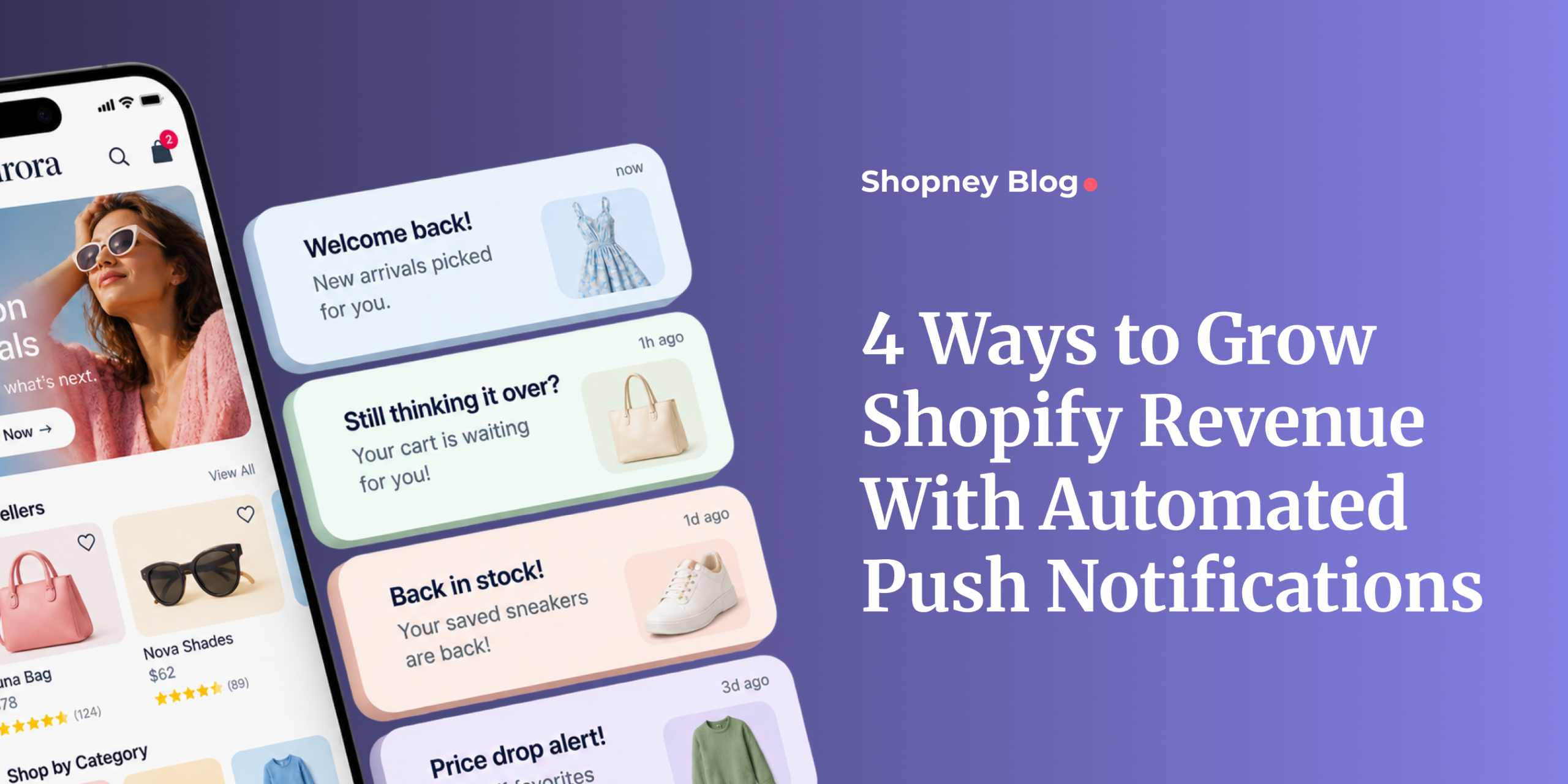
Welcome to the app 👋 Your favorites are now just a tap away. Explore our latest collection.
The important part is what happens after the tap. A generic “thanks for downloading” message has limited commercial value unless it gives the shopper a meaningful next step.
Do customers need to enable push notifications first?
Yes. Push automation only reaches users who have allowed the app to send them notifications.
Apple requires apps to obtain authorization for notifications and recommends asking in a context where users can understand their value. Android also requires notification permission on newer versions of the operating system.
For Shopify brands, that means the permission experience is part of the strategy. Give shoppers a clear reason to opt in—such as exclusive offers, restock alerts, launches, or useful shopping updates—rather than treating permission as a technical checkbox.
2. Abandoned Cart Notifications: Recover High-Intent Revenue Automatically
What is an abandoned cart push notification?
An abandoned cart push notification is automatically sent when a shopper adds products to their cart but leaves without completing the purchase.
The basic journey looks like this:
Product added → Cart left behind → Automated reminder → Shopper returns → Potential purchase
This makes cart recovery different from a broad promotional campaign.
A shopper who has already built a cart has demonstrated product and purchase intent. Your message does not need to create demand from scratch; it needs to help the shopper return to an unfinished journey.
With Shopney, merchants can automate abandoned-cart reminders and control the message, creative, and delivery timing.
What should an abandoned cart push say?
The best message depends on why your customers typically hesitate, but several approaches work naturally with the context:
- A straightforward reminder
- A reminder focused on the products waiting in the cart
- Genuine urgency when inventory or an offer is limited
- An incentive when it is commercially justified
For example:
Still thinking it over? Your items are waiting for you in your cart.
Avoid training shoppers to expect a discount every time they abandon a cart. A reminder alone may be enough, particularly when the shopper already has strong intent.
The destination matters too. The fewer steps between tapping the notification and continuing the purchase journey, the better the experience.
Automated cart recovery is already part of the strategies used by Shopney merchants such as Touché and ShopiGo. Touché’s case study specifically identifies automated push—particularly abandoned-cart notifications—as one of the tools used to recapture shoppers and recover potential sales. After moving to Shopney, Touché reported a 1.4× increase in overall mobile app revenue within three months, alongside higher app engagement and conversion. The result reflects its wider mobile app strategy, not abandoned-cart push in isolation.
3. Inactive User Winback Notifications: Bring Existing Customers Back
What is an inactive-user winback notification?
An inactive-user winback notification is automatically triggered after someone has not opened your app for a defined period.
Its job is simple: recognize declining engagement and create a reason to return before an existing customer becomes completely inactive.
Winback messages can highlight:
- New collections
- Recently added products
- App-exclusive campaigns
- Personalized incentives
- Seasonal promotions
- Relevant restocks or updates
For example:
It’s been a while 👀 See what’s new since your last visit.
How long should you wait before sending a winback push?
There is no universal inactivity period that makes sense for every Shopify store.
A beauty brand selling products that customers replenish regularly may identify inactivity relatively quickly. A furniture, luxury, or high-consideration brand may have a much longer natural purchase cycle.
The right question is not:
“What is the best winback timing?”
It is:
“When does inactivity become unusual for our customers?”
Shopney’s winback automation currently supports inactivity periods including 3, 7, 14, 30, 60, and 90 days, with the inactivity clock resetting when the customer returns to the app.
This is where customer knowledge matters more than blindly following an industry benchmark.
Lash Oasis provides a useful example of the broader strategy. The brand uses push notifications to repeatedly reconnect with its mobile audience, alongside app-exclusive incentives and a mobile-first shopping experience. Its Shopney case study reports that 90% of people who download the app return regularly, with more than 10,000 monthly app sessions.
Again, the result comes from the broader app and retention strategy rather than a single automated notification. But it shows why re-engagement matters: an app creates more business value when customers continue returning after the initial download.
4. Scheduled Push Notifications: Put Your Campaign Calendar on Autopilot
Are scheduled push notifications really automated?
Scheduled pushes are not behavior-triggered automation. But they automate campaign execution once the merchant has prepared the message.
Instead of remembering to manually send every product launch, holiday promotion, or final-hours reminder, your team can prepare the campaign calendar in advance.
Scheduled pushes work particularly well for:
- Black Friday and Cyber Monday
- Holiday promotions
- Product launches
- Seasonal collections
- App-exclusive sales
- Recurring monthly campaigns
- Time-sensitive offers
For example:
Our BFCM offer is live 🎉 Open the app now before your favorites are gone.
Shopney allows merchants to schedule push notifications for a selected date, time, and time zone.
Scheduling becomes especially valuable during busy ecommerce periods. Your team can focus on merchandising, customer support, inventory, and campaign performance while pre-planned messages go out when intended.
How the Four Push Automations Work Together
The real value becomes clearer when you stop thinking about each notification as a separate tactic.
Consider one customer’s journey:
Day 1: They open your app → Welcome notification
Day 5: They add products but leave before buying → Abandoned cart notification
Day 20: Your new seasonal collection launches → Scheduled notification
Later: They stop opening the app → Winback notification
Each message exists because the customer’s relationship with the brand has changed.
That is the difference between sending more notifications and building an automated push strategy.
Instead of asking your team every morning, “What push should we send today?”, you create systems that respond to predictable customer and campaign moments automatically.
ShopiGo illustrates what this can look like as part of a broader mobile strategy. The Shopify Plus brand used automated and rich push notifications—including abandoned-cart recovery—alongside an optimized app shopping experience. Its Shopney case study reports a 22× higher mobile conversion rate on the app compared with its mobile website, 13.5× higher customer engagement, and 1.2× higher overall revenue. These are overall app results rather than isolated push-notification results, but they demonstrate the commercial environment in which automation operates.
Revenue on Autopilot Does Not Mean “Set It and Forget It”
Automation handles execution. It does not replace strategy.
Your abandoned-cart timing may be wrong. Your winback threshold may be too short. Your scheduled promotions may become repetitive. Customers may disable notifications if too many irrelevant messages reach them.
The objective is therefore not to automate as many push notifications as possible.
It is to automate the messages that correspond to meaningful customer moments.
Useful metrics to monitor include:
- Push notification opt-in rate
- Notification opens and taps
- Conversion rate
- Revenue generated or attributed
- Abandoned-cart recovery
- Winback engagement
- Returning users
- Notification-disable or opt-out behavior
Look beyond open rates.
If a cart-recovery push receives fewer opens than a broad promotion but produces more completed purchases, the lower open rate does not make it less valuable.
For a revenue-focused strategy, the question should ultimately be:
What happened after the customer opened the notification?
How to Get More Revenue From Automated Push Notifications
Match the message to customer intent
A customer with products sitting in their cart does not need the same message as someone returning after 60 days.
Automation should make messaging more relevant, not more generic.
Personalize without losing scalability
Customer information can make automated communication feel less automated.
Shopney’s current personalized push capabilities allow merchants to include customer-specific information in notifications, while audience targeting can separate shoppers according to characteristics such as activity, purchase behavior, or whether they are new, returning, or inactive users.
Personalization should still serve a purpose. Adding someone’s name to an irrelevant notification does not make the message relevant.
Send the shopper somewhere useful
Every push should have a logical destination.
A cart reminder should return the shopper toward their purchase journey. A collection launch should open the relevant collection. A campaign notification should not make the customer search for the offer they were just promised.
Reduce the number of steps between the push and the intended action.
Match automation timing to your business
A skincare store, fashion retailer, grocery business, and luxury furniture brand do not have identical buying cycles.
Use your own customer behavior to determine when reminders and winback messages make sense.
Automation becomes more valuable when the timing reflects how your customers actually shop.
Measure revenue, not just attention
Opens and taps tell you whether a message caught attention.
Conversions, recovered carts, repeat purchases, returning customers, and attributed revenue tell you whether the automation contributed to the business.
That distinction is essential when the goal is revenue on autopilot rather than notifications on autopilot.
Automated Push Notifications With Shopney
Shopify merchants using a Shopney mobile app can build automated push journeys around some of the most important stages of the customer lifecycle.
Welcome notifications create another touchpoint with new app users. Abandoned-cart notifications automatically reconnect with shoppers who leave products behind. Inactive-user winback notifications help bring disengaged customers back. Scheduled notifications let merchants prepare launches, promotions, and seasonal campaigns ahead of time.
Shopney also supports push capabilities such as personalization, rich media, audience targeting, scheduling, and AI-generated notification copy.
But the bigger opportunity is not simply having another marketing channel.
It is creating a system in which the right customer moments no longer depend on someone remembering to send a message manually.
That is what revenue on autopilot should mean: not automatic revenue, but an always-on system that keeps working on the revenue opportunities your store would otherwise miss.
Author
Frequently asked questions
What are automated push notifications for Shopify?
Automated push notifications for Shopify are mobile app messages that are sent based on a predefined customer action or schedule. They can respond to behaviors such as opening an app, abandoning a cart, or becoming inactive, while scheduled pushes can be prepared in advance for launches, promotions, and other campaigns.
What types of push notifications can Shopify merchants automate?
Shopify merchants with a mobile app can automate several types of push notifications, including welcome notifications, abandoned cart reminders, inactive-user winback notifications, and scheduled push campaigns. Each serves a different stage of the customer journey, from onboarding new app users to recovering purchase intent and re-engaging inactive customers. Pasted markdown
Do customers need to enable push notifications to receive automated messages?
Yes. Customers must grant the mobile app permission to send push notifications before they can receive automated or manual push messages. This makes the opt-in experience important: merchants should give shoppers a clear reason to allow notifications, such as access to offers, restock alerts, product launches, or useful shopping updates. Pasted markdown
How do abandoned cart push notifications work?
An abandoned cart push notification is triggered when a shopper adds products to their cart but leaves without completing the purchase. The notification reminds the shopper about the unfinished cart and can direct them back toward the purchase journey. Because the shopper has already shown product intent, the message focuses on recovering an existing opportunity rather than creating demand from scratch.
What is an inactive-user winback push notification?
An inactive-user winback notification is an automated push sent after a user has not opened the app for a defined period. Its purpose is to re-engage customers whose activity has declined by giving them a relevant reason to return, such as a new collection, promotion, app-exclusive offer, or product update. Pasted markdown
Are scheduled push notifications considered automation?
Scheduled push notifications are not behavior-triggered automation, but they automate campaign execution. Merchants prepare the message in advance and select when it should be sent. This is useful for product launches, Black Friday and Cyber Monday campaigns, seasonal promotions, app-exclusive sales, and other time-sensitive marketing activities.
How can Shopify merchants get more revenue from automated push notifications?
Automated push notifications are more effective when the message matches customer intent, the timing reflects actual buying behavior, and the notification sends the shopper to a relevant destination. Merchants should also evaluate conversions, recovered carts, repeat purchases, returning customers, and attributed revenue rather than judging performance only by opens or taps.
What metrics should Shopify merchants track for automated push notifications?
Merchants should track more than notification opens. Useful metrics include push opt-in rate, notification taps, conversion rate, attributed revenue, abandoned-cart recovery, winback engagement, returning users, and notification opt-outs. For revenue-focused automation, the most important question is what the customer does after interacting with the notification.
Share this: